
Before
Up to 6 weeks
At peak load, no designer was available. They had to find one through hiring, labor loan or subcontracting. The designer did not always know the project and counted quantities by hand.
Online services for AVEVA E3D, to use on their own: no review or managed platform is needed. Orbit BOM produces the BOM of an E3D model. Orbit Import turns an IFC model into native PIPE and BRAN. Orbit Point Cloud turns a point cloud into native E3D elements. These three services are ready; model upload is not open yet. Orbit Isos, Orbit Plans and Orbit AI are coming.
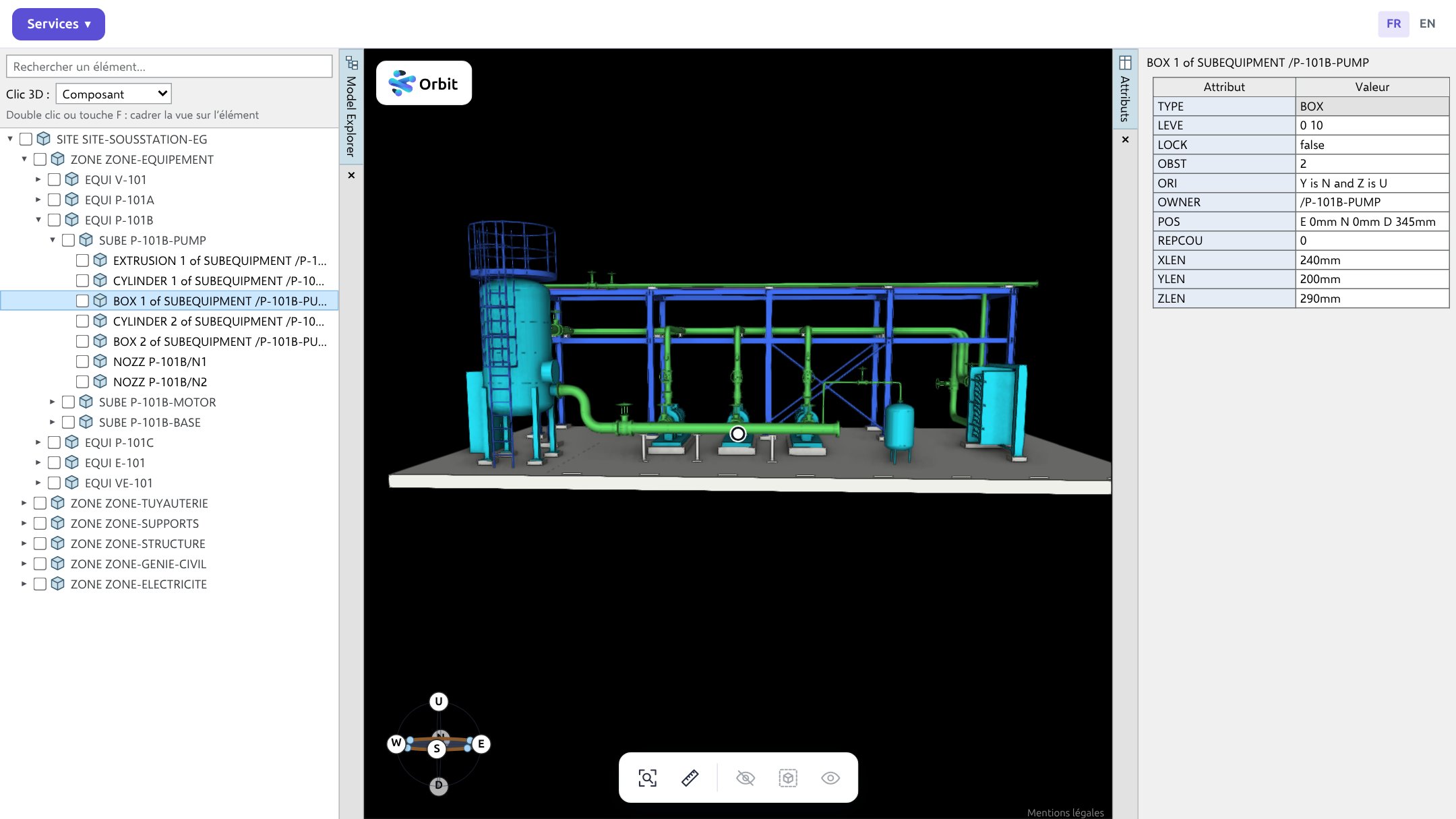
These two BOMs are generated by Orbit BOM, on the demo model. Open them, browse the sheets, search for a part, sort the columns. It is the same interface as in the service.
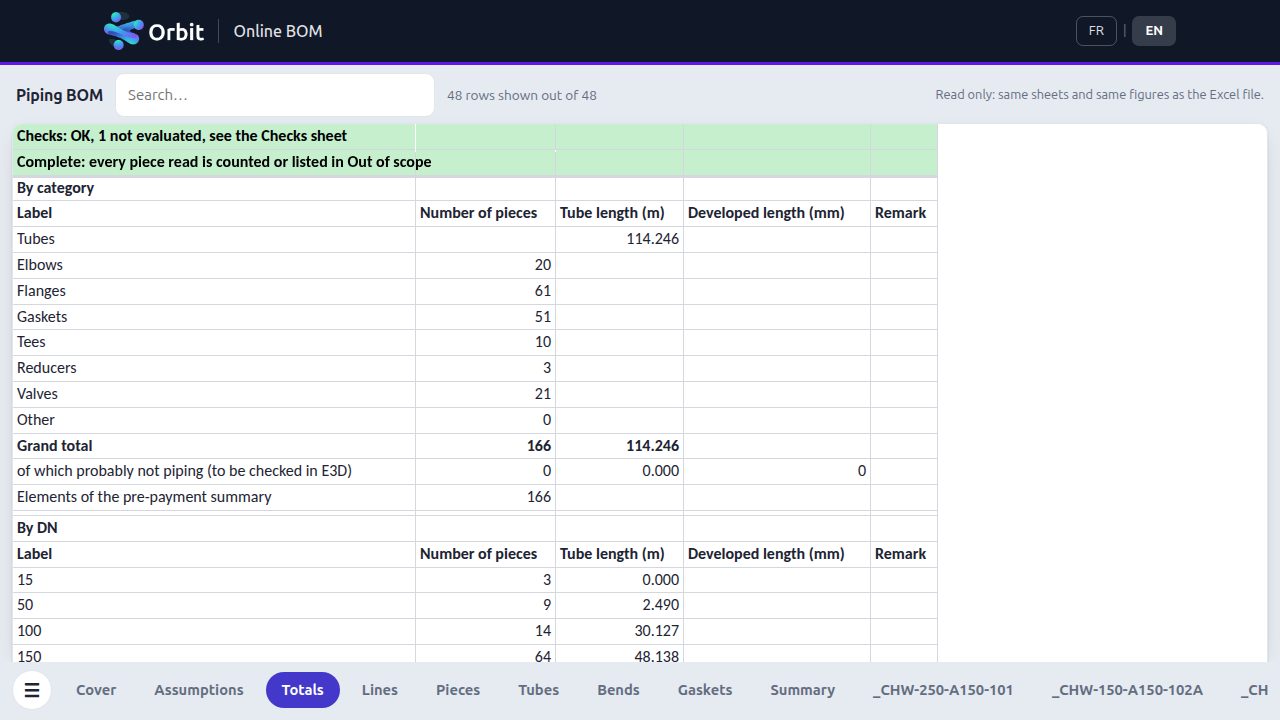
12 systems, 166 parts, 114.246 m of pipe, with its automatic checks.
Open the piping BOM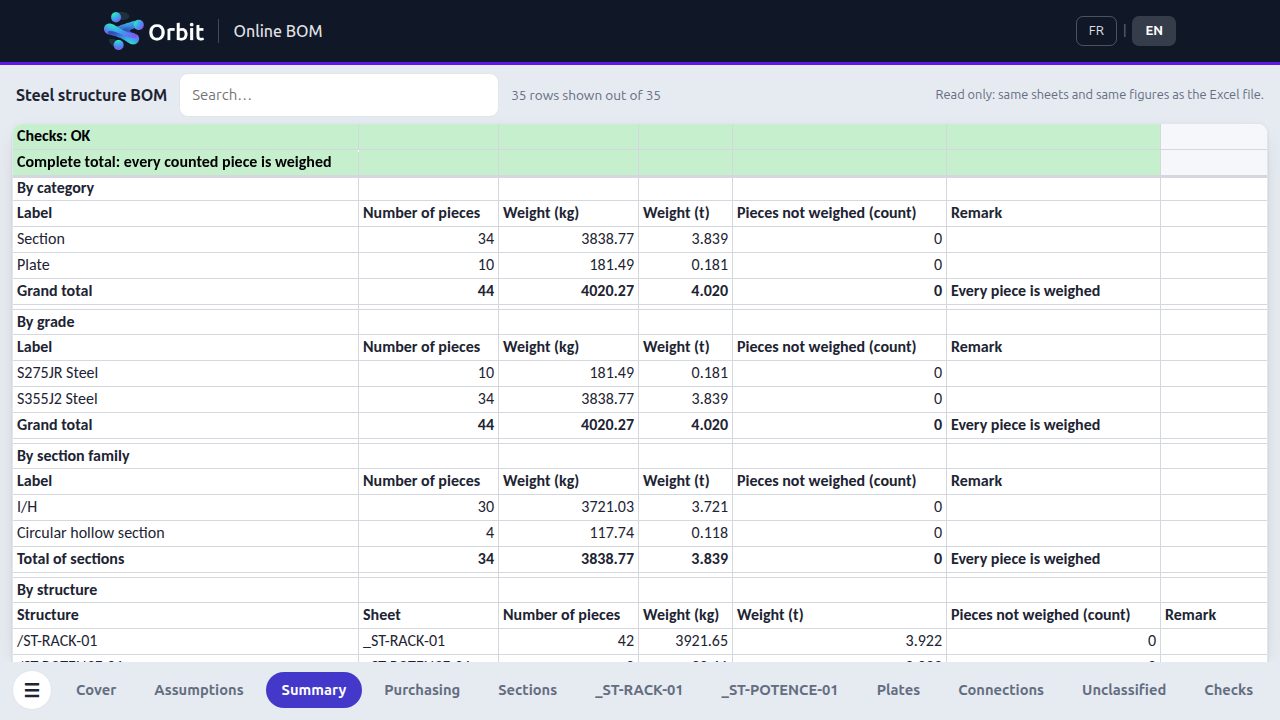
2 structures, 44 elements, 4,020.27 kg, sections and plates weighed.
Open the steel structure BOMA customer generates an RVM file and a data dump at every project review. Their teams hold their reviews in the Orbit viewer. When they need a study (BOM, MTO, take-offs), they no longer wait for a designer to free up.
Up to 6 weeks
At peak load, no designer was available. They had to find one through hiring, labor loan or subcontracting. The designer did not always know the project and counted quantities by hand.
As soon as the files are uploaded
The customer uploads their RVM and dump to Orbit BOM. They get the BOM, the MTO and the take-offs. They run the study the day they need it, without looking for a designer.
This example applies to every Orbit service. Your deliverables start from your E3D model, without waiting for a designer to free up.
Your contractor models in AutoCAD, Revit or another tool. Its file describes shapes, with no catalog items at all. To get isometrics and spools out of it in E3D, you need PIPE and BRAN tied to your specs. Today, a piping designer re-enters them piece by piece, reading each dimension off the source software.
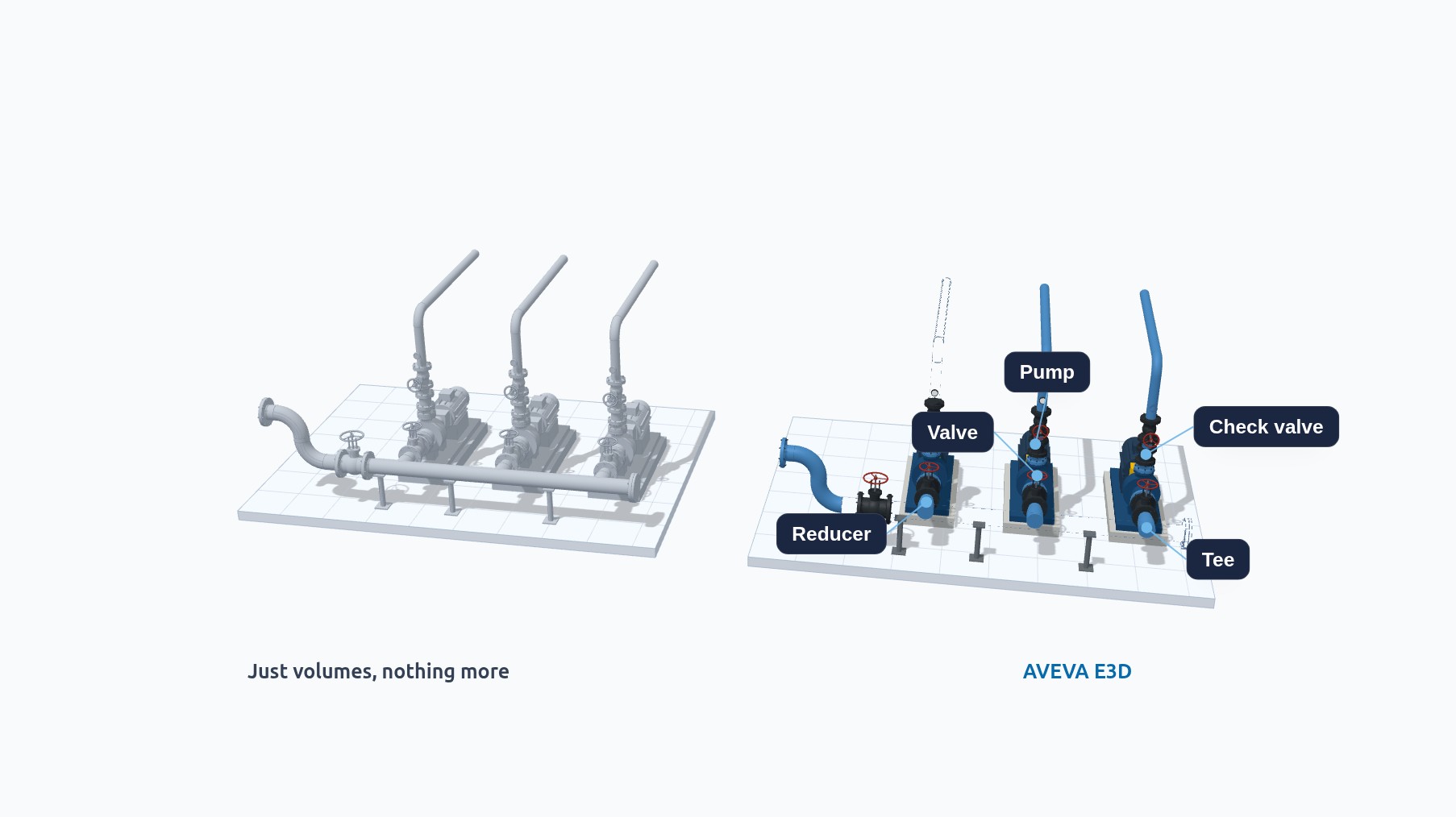
Orbit Import
Each recognized piece becomes a catalog component.
ready for isometrics and spools
An IFC model received from another application becomes native E3D PIPE and BRAN, with no manual re-entry. You receive PML macros to run in E3D and an Excel report.
ReadyFrom an RVM file and its data dump exported from E3D, you get the BOM and MTO in Excel and online.
ReadyA point cloud becomes native AVEVA E3D elements.
ReadyYou will get the isometrics of your PIPE from your model, without configuring E3D.
Coming soonYou will get your drawings as DWG or as PML macros for AVEVA E3D Draw.
Coming soonYou will be able to make artificial intelligence interact with your model, without exposing your information system.
Coming soonServices marked Coming soon are not open yet. Write to contact@lafabops.fr to be notified.
Every Orbit service follows these three steps. You pay only at the last one.
An RVM file and its data dump, exported from E3D, for Orbit BOM. An IFC model for Orbit Import.
Browse your model in 3D. The summary or report, with the price, appears before any payment.
You download the BOM Excel file, plus the PML macros and the Excel report from Orbit Import. Soon you will also download your isometrics and drawings, as DWG or as PML macros for AVEVA E3D Draw. Your deliverables are kept for 30 days.
Orbit Import turns a model received from another application, typically in IFC format, into native E3D PIPE and BRAN. Before any payment, you browse the model tree, the result in 3D and a report. The report separates elements created as is, elements created with a replacement part, and elements not created.
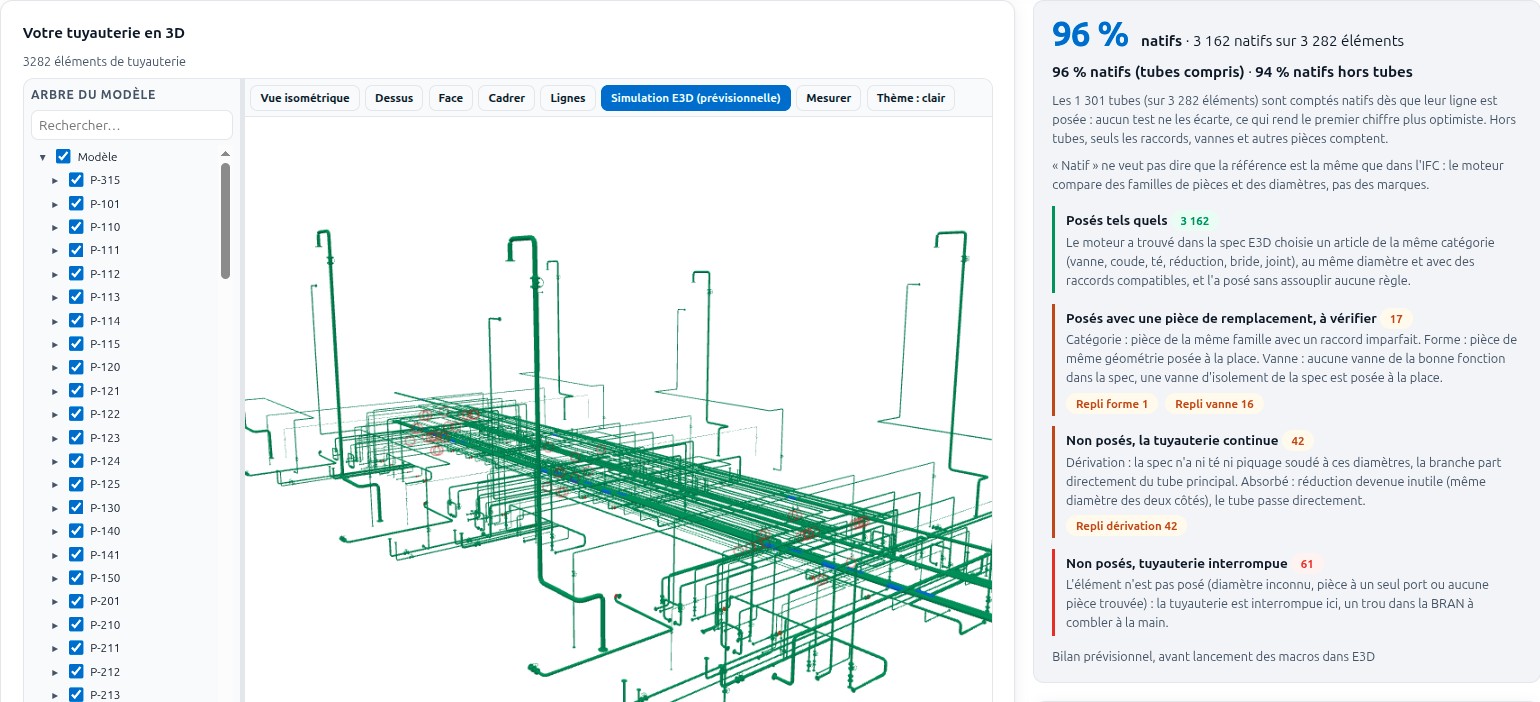
Each element is matched to your project specs. You can force the spec and the DN of each line.
The report is also delivered as an Excel file. It shows you where to rework the design and which elements to create in your catalog.
3D visualization and report are free. You pay knowing the result and the price.
Your files are hosted on servers in France. You can delete them, along with your deliverables.
Orbit Point Cloud turns a point cloud into native AVEVA E3D elements.
The price depends on your model and the service you choose. It appears with the result.
Once open, uploading will cost nothing. You will buy credits only if the result and the price suit you.
A question about the service? Write to contact@lafabops.fr. To deploy the Orbit AI infrastructure at your company, see the feasibility review.
An RVM file and its data dump, exported from E3D, for Orbit BOM. An IFC model for Orbit Import.
Orbit BOM, Orbit Import and Orbit Point Cloud are ready; model upload is not open yet. Orbit Isos, Orbit Plans and Orbit AI are coming.
For Orbit BOM, the BOM Excel file. For Orbit Import, the PML macros and an Excel report. The upcoming services will also deliver isometrics and drawings.
On servers in France. Your deliverables are kept for 30 days after payment. You can delete your files and your deliverables.
You buy credits by PayPal or card. The price appears before you buy.